Excel & Google Sheets · Australia
Fortnightly Budget & Debt Payoff Planner
Plan your budget around fortnightly pay, see which bills hit which pay, and find your debt-free date, with snowball vs avalanche side by side.
Your pay is fortnightly. Your budget should be too.
In Australia, plenty of us get paid every fortnight, while rent is weekly, power is quarterly and car rego comes once a year. Most budget spreadsheets assume monthly pay, so the numbers never quite line up.
This planner pulls all of it into one fortnightly number, so you know exactly what to set aside each payday and how fast you can clear your debts.
What you can do with it
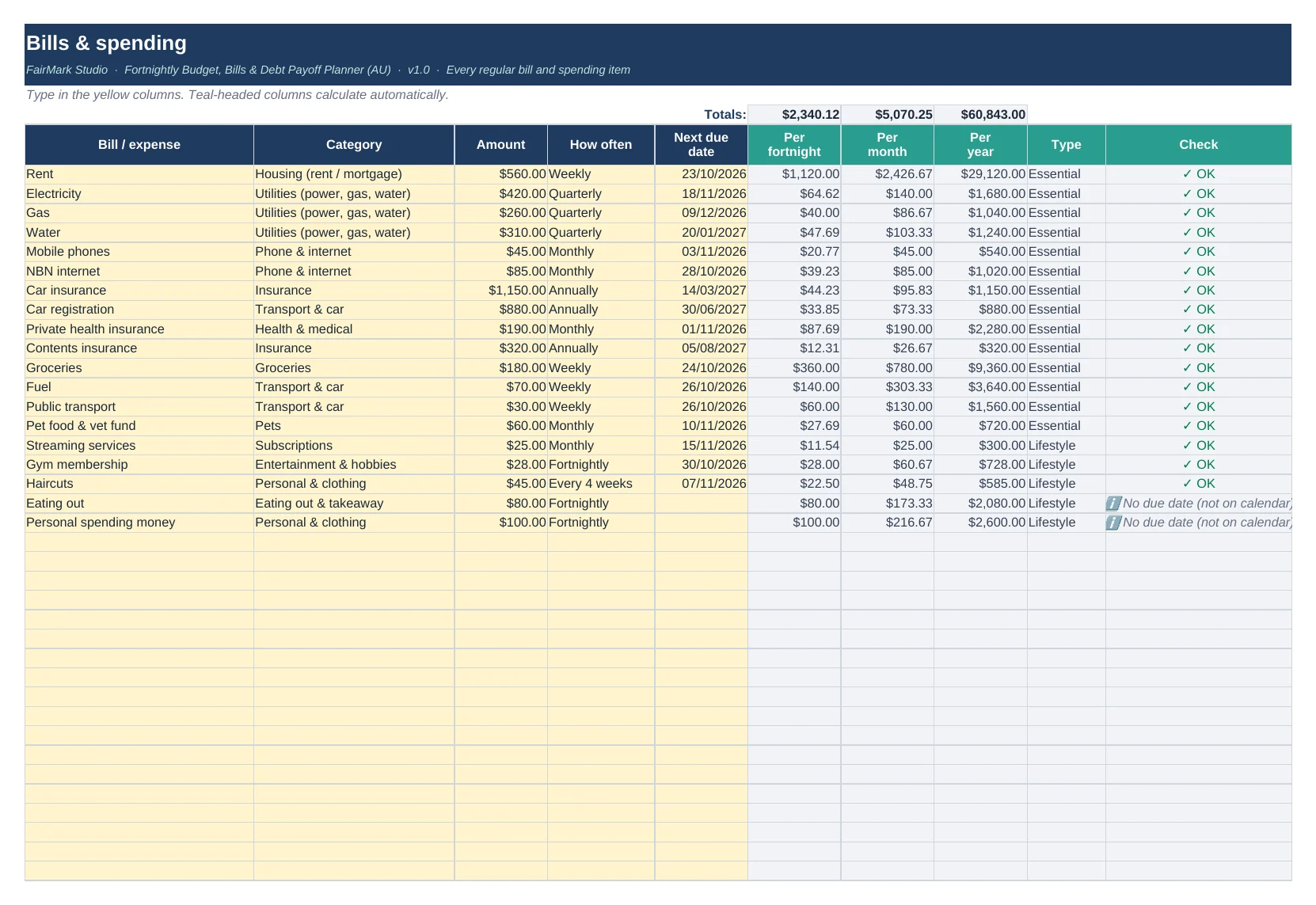
- Turn every weekly, monthly, quarterly and yearly bill into one fortnightly amount
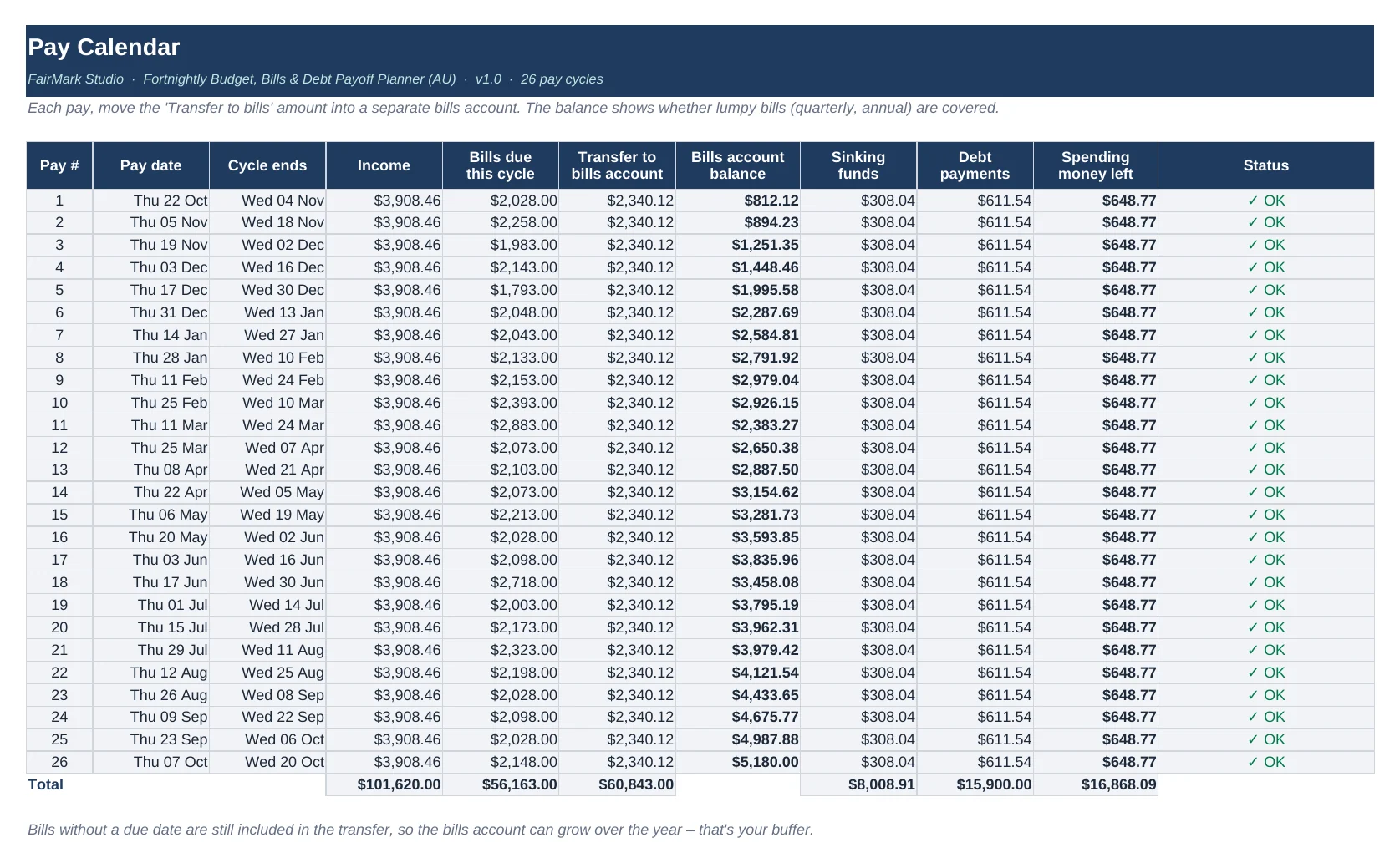
- See which bills land in each of your next 26 pays, and how much to move to your bills account each payday
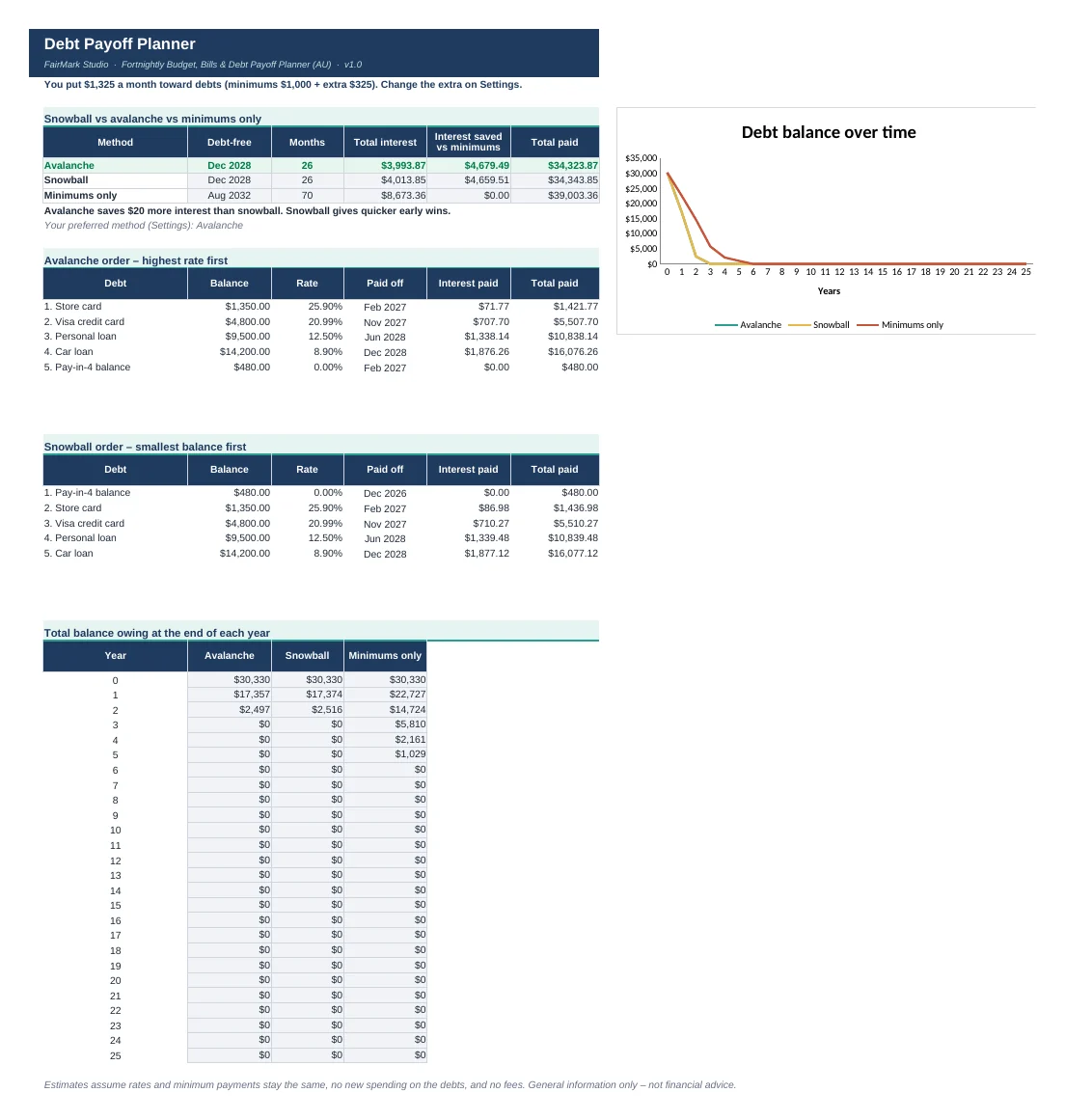
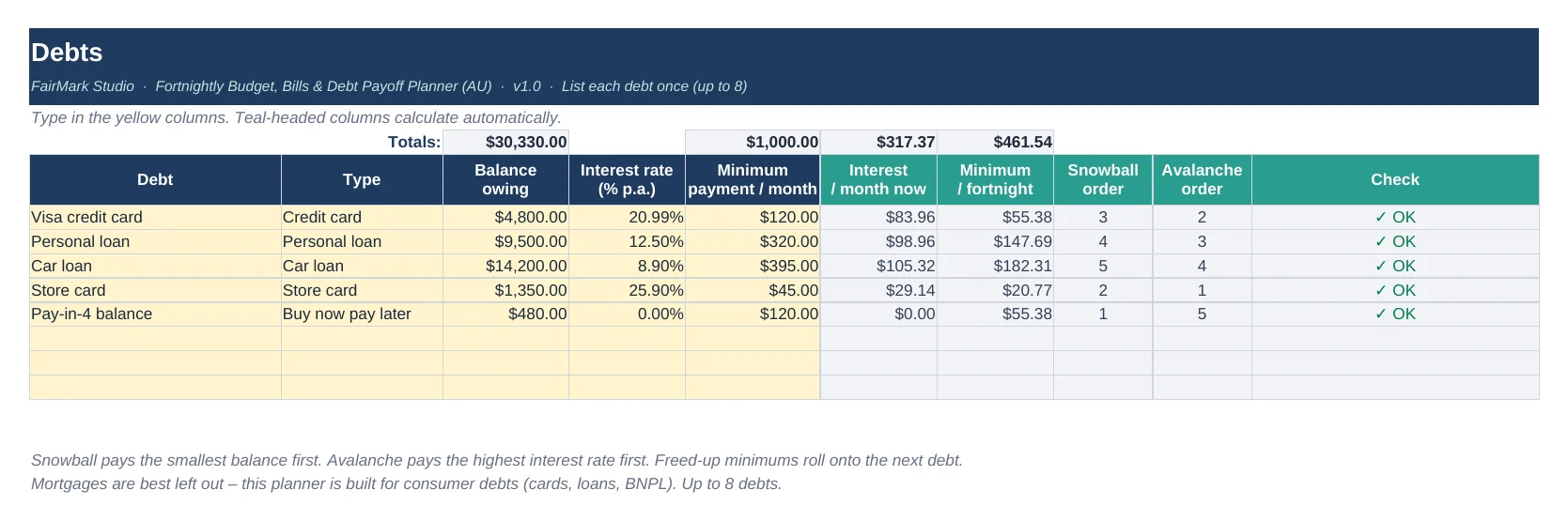
- Compare snowball (smallest balance first) and avalanche (highest interest first) against paying minimums only, with your debt-free date, total interest and interest saved
- Get a warning if a minimum payment doesn't even cover the interest
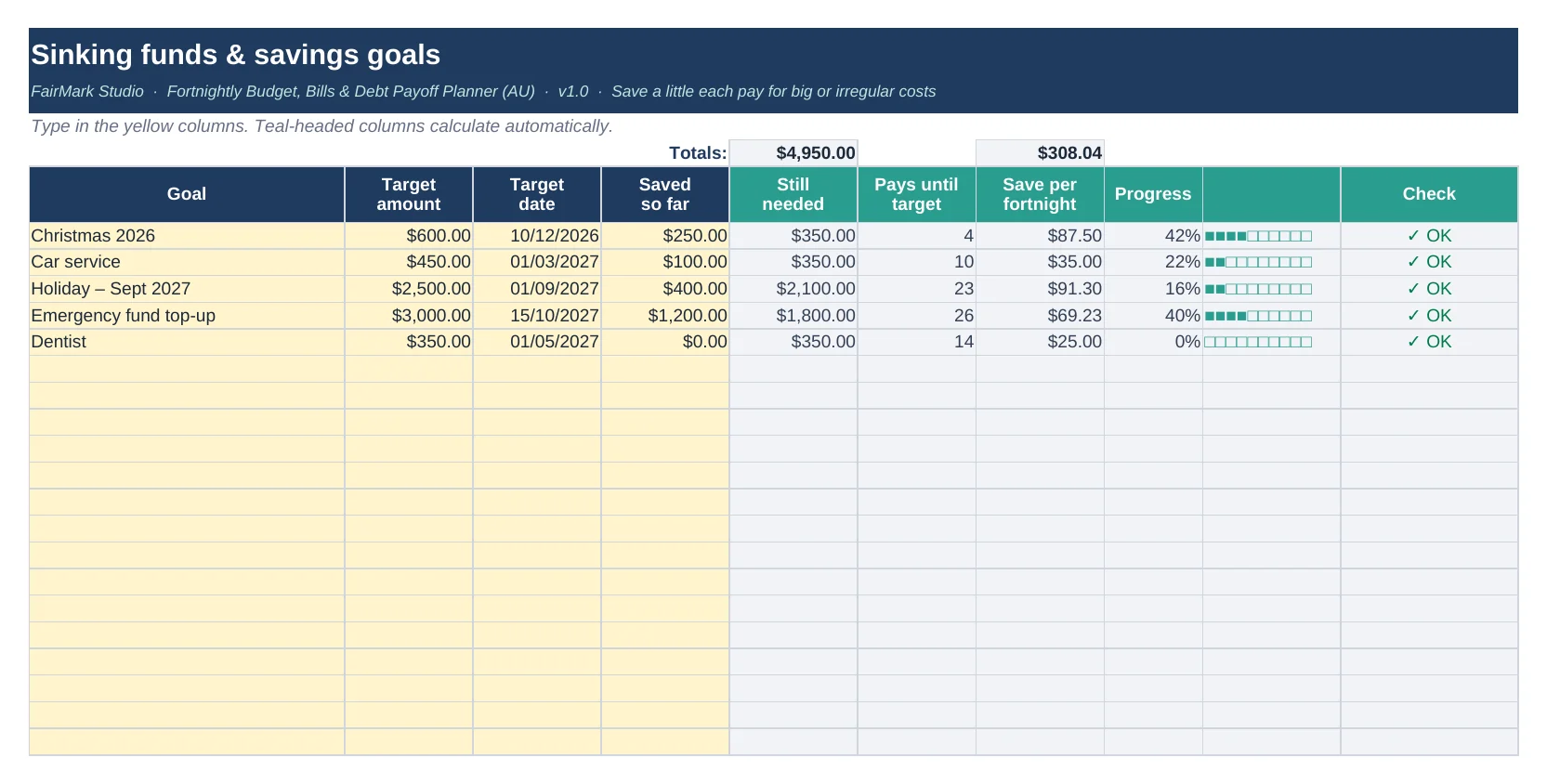
- Set savings goals (Christmas, rego, holidays) and see how much to put away each pay
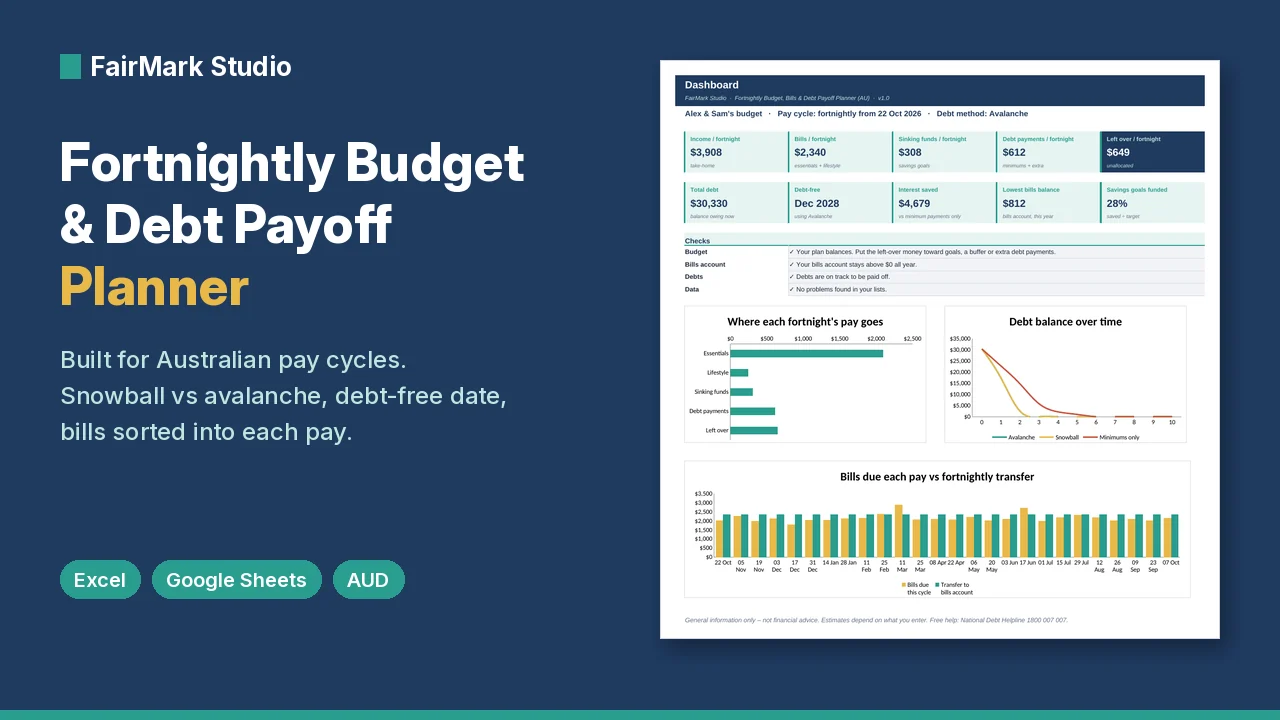
- Check the dashboard for what's left over each fortnight, with 3 charts and plain-English checks
Is it right for you?
Great if you…
- get paid fortnightly (weekly and monthly pay work too, since every income line has its own frequency)
- juggle bills that come weekly, monthly, quarterly and yearly
- have a few debts (cards, car loan, personal loan, BNPL) and want a clear plan and date
- like seeing the numbers yourself rather than handing your bank login to an app
Maybe not for you if you…
- want automatic bank syncing or a phone app (this is a spreadsheet you fill in yourself)
- need advice on your personal situation (talk to a free financial counsellor, details below)
What's included
FairMark-Fortnightly-Budget-Debt-Payoff-Planner.xlsx
Filled with a sample household so you can see how it worksFairMark-Fortnightly-Budget-Debt-Payoff-Planner-BLANK.xlsx
The same planner, ready for your numbersREADME.pdf
A short setup guide
Inside the workbook: Start, Dashboard, Settings, Income (20 lines), Bills (80 rows), Sinking Funds (20 goals), Debts (up to 8), Budget Summary, Pay Calendar (26 pays), Bill Calendar, Debt Payoff and Notes.
How to use it (about 10 minutes)
- Open the BLANK file (or clear the yellow cells in the sample).
- On Settings, enter a recent payday, your bills-account balance, and any extra you can put toward debts each fortnight.
- Add your income, bills (with the next due date), savings goals and debts.
- Read your Dashboard, Pay Calendar and Debt Payoff results.
Tip: Yellow cells are where you type. Everything else calculates for you and is protected so you can't break a formula by accident. There's no password, so you can unlock it if you want to tinker.
A little maths, explained
Why not just halve your monthly bills?
There are 26 fortnights in a year, not 24. So a $100 monthly bill works out to $46.15 a fortnight ($100 × 12 ÷ 26), not $50.
Halving makes every monthly bill look bigger than it is. Then twice a year a "third pay" month comes along and the whole budget feels off. The planner uses the 26-fortnight maths for every bill, so your numbers stay honest all year.
Compatibility
- Microsoft Excel 2010 or later (Windows and Mac). No Microsoft 365 subscription needed.
- Google Sheets (free): upload to Google Drive and open. Set File → Settings → Locale → Australia for dd/mm/yyyy dates.
- No macros, add-ins or sign-ups. Amounts in AUD. Works best on a computer rather than a phone.
Questions about this planner
Can I use it if I'm paid weekly or monthly?
Yes. Every income line has its own frequency, and the planner converts it all to fortnightly. Your Pay Calendar follows the payday you enter on Settings, so it suits a fortnightly pay cycle best.
How accurate is the debt-free date?
It's a good estimate, not a promise. Interest is worked out monthly, while most lenders charge daily, and it assumes your rates and minimums stay the same with no new spending. Check your statements and update the planner every few months.
Do I need to share my bank details?
Never. You type in your own numbers, and the file lives on your computer or in your Google Drive. We can't see it.
What if I get stuck?
Email hello@fairmarkstudio.com and we'll help you get it working.
More answers on the FAQ page.
Good to know
This is a budgeting tool that gives general information only. It isn't financial advice. For free, confidential help, the National Debt Helpline is on 1800 007 007 (ndh.org.au).
For personal use. Please don't resell or share the file.
Refund note
Because this is an instant digital download, all sales are final. If the file won't open or something isn't working, email us and we'll fix it or refund you. (Your rights under Australian Consumer Law always apply. See the full Refund policy.)
Ready to see your fortnight clearly?
A$9, once. Ten minutes to set up. A plan you can actually follow.